

To add a password to an Excel spreadsheet on Mac you need to select Save As

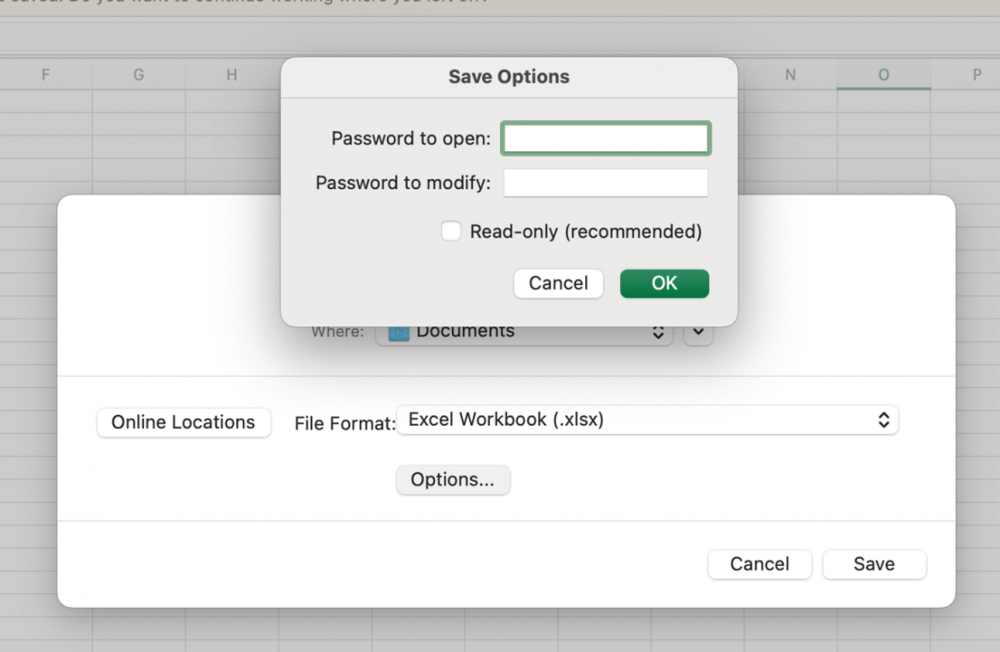
In the prompt that opens, select Options and enter the desired password in the field Password to open.
You’ll be asked to enter the password again
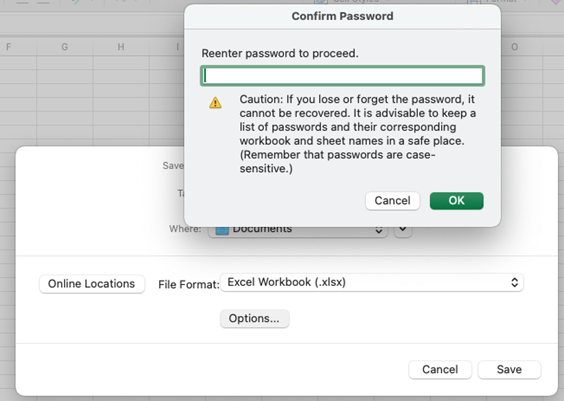
After clicking OK and Save the spreadsheet will be saved with the selected password.
Make sure you remember the password, as it can’t be recovered.
In order to open the document, the password will need to be reentered.
