

Adding the Hebrew University Calendar
Step 1
- Enter your HujiMail account via the website.
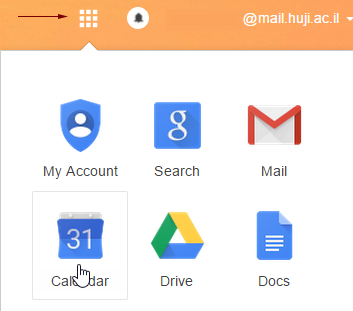
- Press on the squares and choose ‘Calendar’ .
Step 2
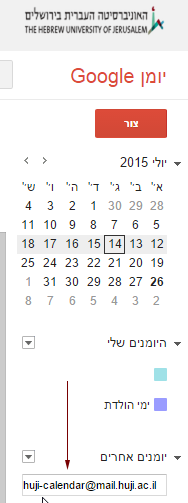
Choose other calendars, Press + , and choose subscribe to a calendar. Enter the following address: huji-calendar@mail.huji.ac.il and press Enter. The calendar will be added to Outlook, as well to all mobile devices (phone or tablet) which are synchronized with your HujiMail account.
Hiding the Calendar
Go to Other calendars. Select Huji-calender and press the 3 dots on the right. Choose Hide from list
